Introduction
An index is a data structure that speeds up data retrieval. Just as the index of a book lets you find a topic without scanning every page, a database index lets you find records without scanning the entire table.
A search key is the attribute or set of attributes used to look up records in a file. An index file stores entries of the form (search-key, pointer), where the pointer gives the location of the record on disk.
Index files are typically much smaller than the original data file, so searching them is faster than scanning the table.
Why indexes are needed
Consider a table with millions of records. Without an index, every query requires a full table scan. With an appropriate index, the database can jump directly to the relevant records.
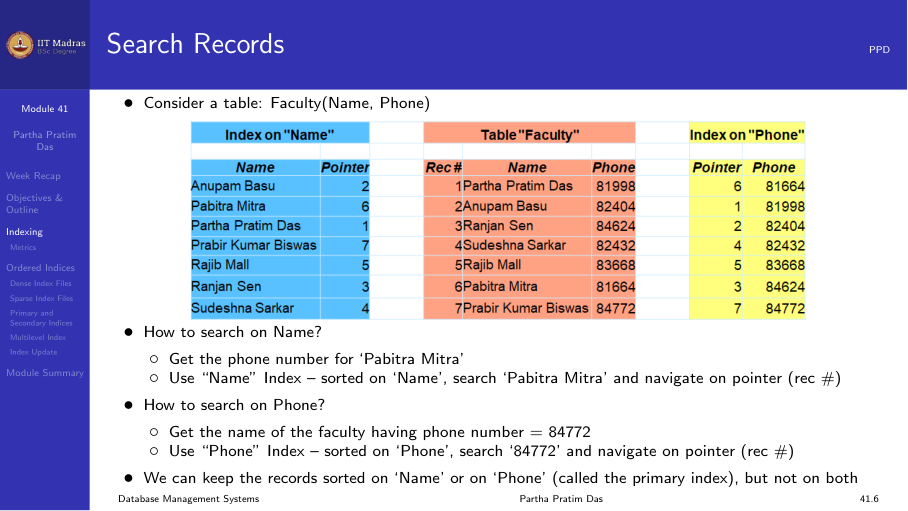
For example, a faculty table might have indexes on Name and Phone. To find a professor by name, the index on Name is used. To find a professor by phone number, the index on Phone is used.
Index evaluation metrics
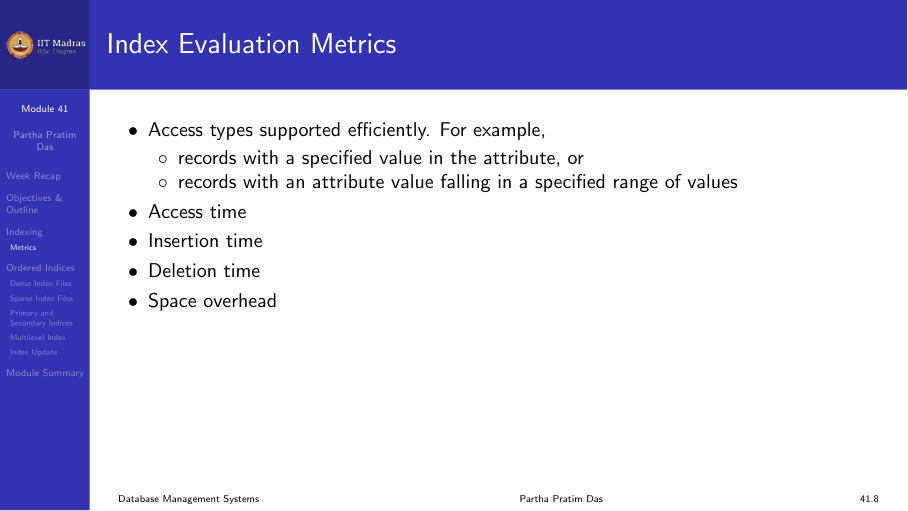
When comparing index structures, database designers consider five metrics:
- Access types supported. Can the index efficiently support equality searches (find record with value V)? Range searches (find records with value between V1 and V2)?
- Access time. How many disk accesses are needed to find a record?
- Insertion time. How much overhead does inserting a new record add?
- Deletion time. How much overhead does deleting a record add?
- Space overhead. How much additional storage does the index require?
Ordered indexes
In an ordered index, index entries are stored in sorted order on the search-key value. This is analogous to the author catalog in a library, where entries are alphabetized by author name.
Ordered indexes come in two main types: dense and sparse.
Dense index
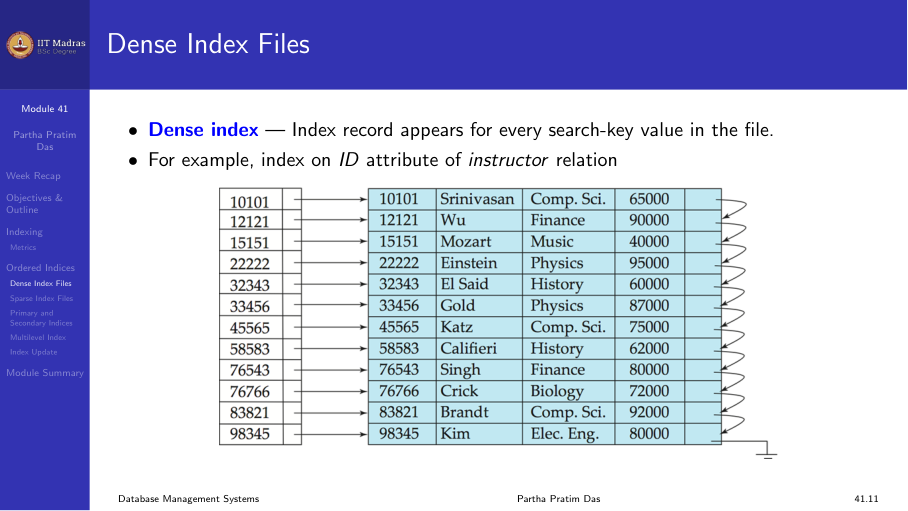
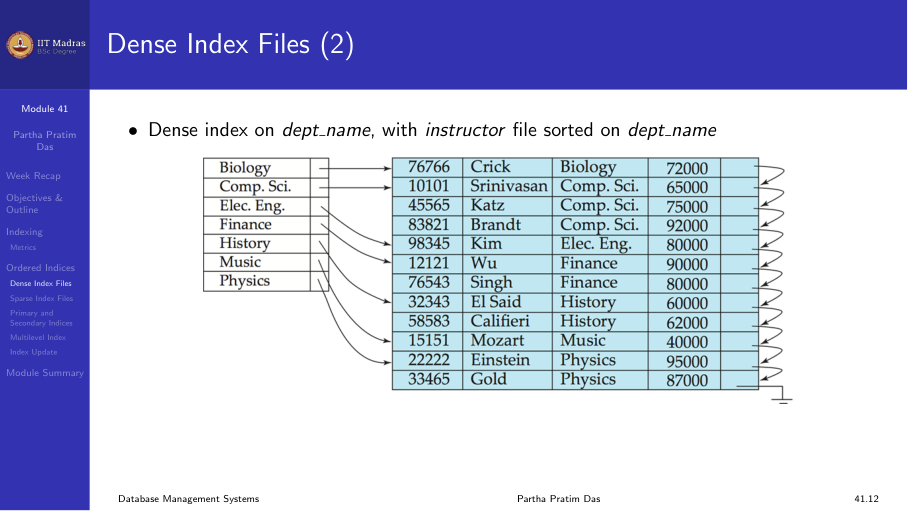
A dense index has one index entry for every search-key value in the file. Each entry contains the search-key value and a pointer to the corresponding record.
For example, a dense index on the ID attribute of an instructor table has an entry for every instructor ID. If there are 1000 instructors, there are 1000 index entries.
A dense index can also be built on a non-unique attribute. For example, a dense index on dept_name has an entry for every instructor, but multiple instructors in the same department have separate entries in the index.
Sparse index
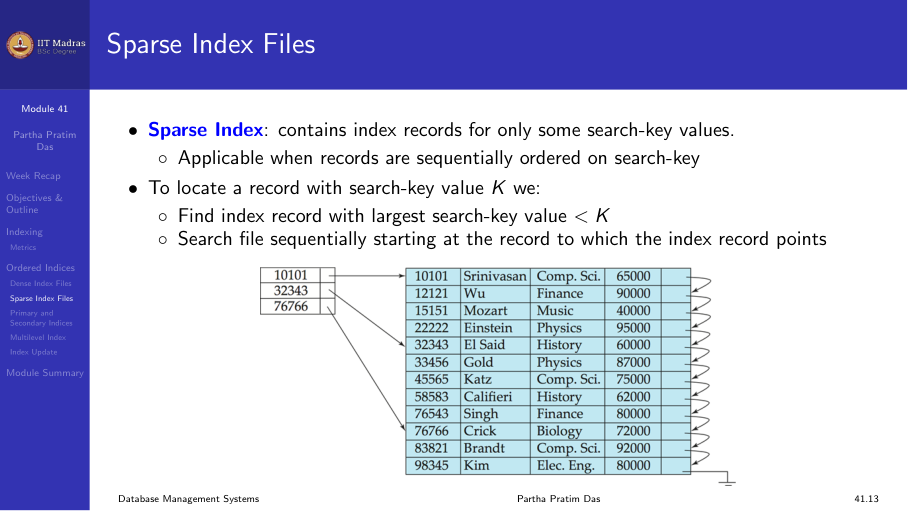
A sparse index has index entries for only some search-key values. It is applicable only when records are sequentially ordered on the search key.
To locate a record with search-key value K:
- Find the index record with the largest search-key value less than or equal to K.
- Follow the pointer to the corresponding block.
- Scan the block sequentially to find K.
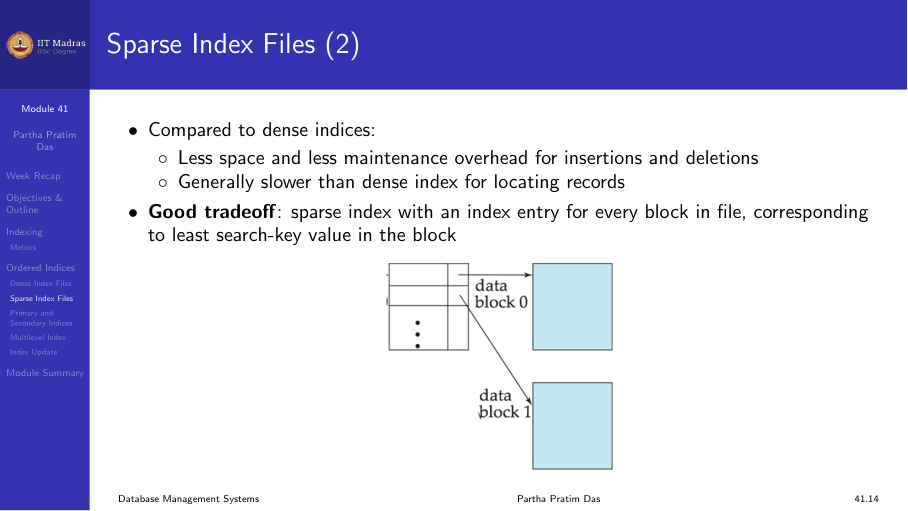
Sparse indexes use less space and have lower maintenance overhead than dense indexes. The trade-off is that locating a record may be slightly slower because of the sequential scan within the block.
A good compromise is a sparse index with one entry per block, using the smallest search-key value in each block.
Primary versus secondary indexes
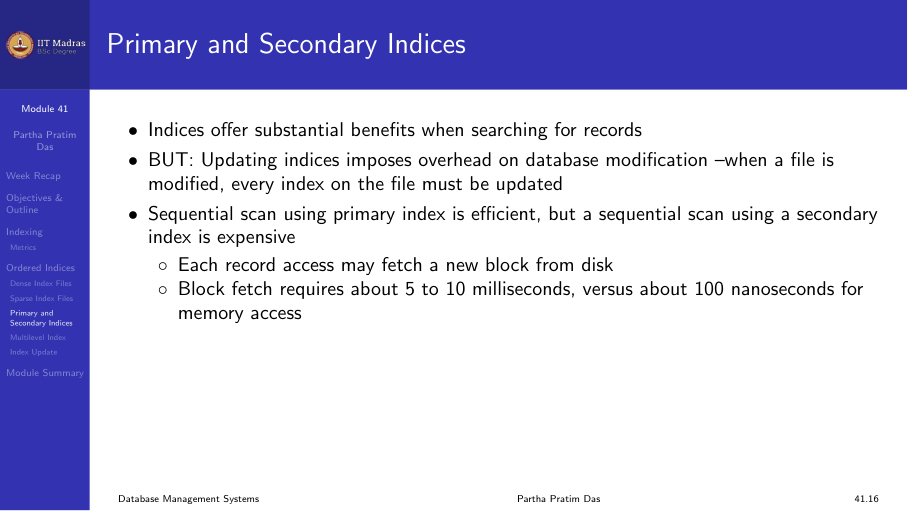
A primary index is defined on the search key that determines the physical order of records in the file. Since records can be physically sorted in only one order, there can be at most one primary index per table.
A secondary index is defined on a search key whose order differs from the physical order of records. A table can have many secondary indexes.
Example. Consider an instructor table sorted by ID.
- A primary index on ID is a sparse index (one entry per block).
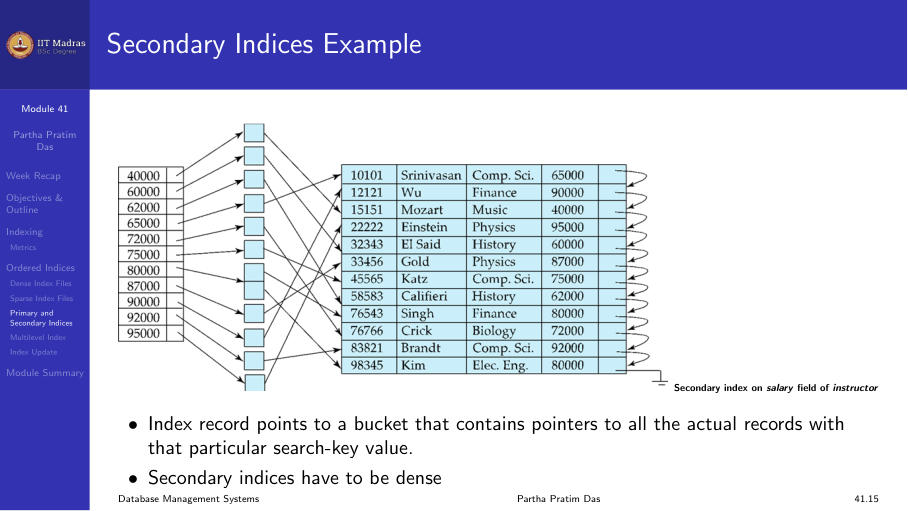
- A secondary index on salary is a dense index (one entry per record).
Multilevel index
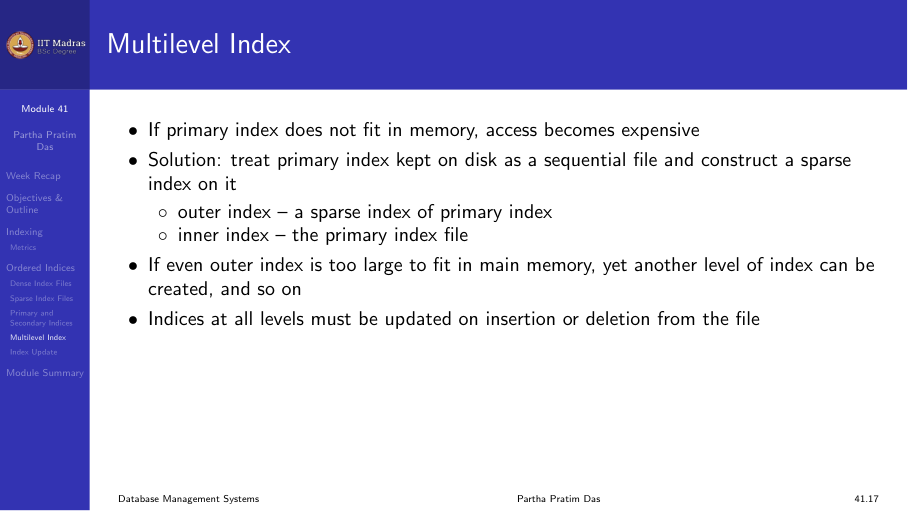
If the primary index is too large to fit in memory, even the index lookups become expensive because each index entry access requires a disk I/O.
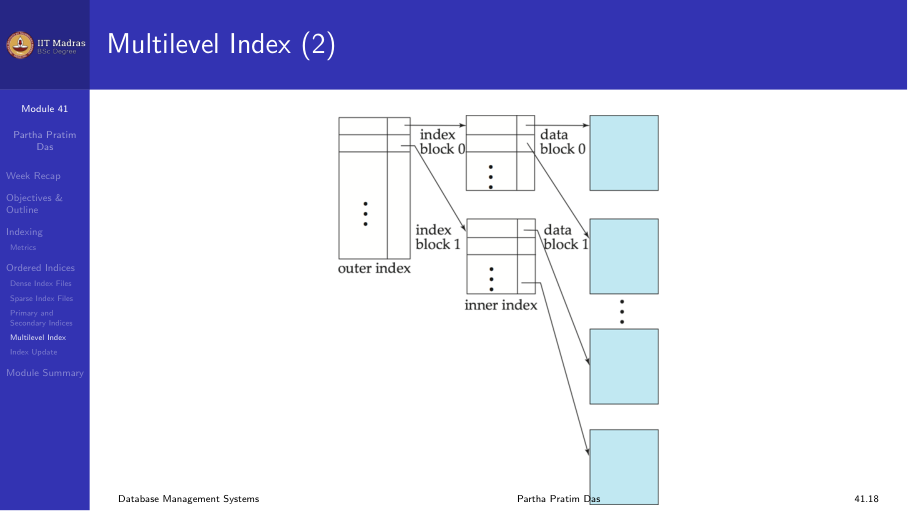
The solution is to treat the primary index as a sequential file and build a sparse index on top of it:
- Outer index. A sparse index on the primary index file.
- Inner index. The primary index file itself.
If even the outer index is too large to fit in memory, another level can be added. This creates a multilevel index.
Each level is a sparse index on the level below. Searching starts at the top level and follows pointers down through the levels.
Index update: deletion
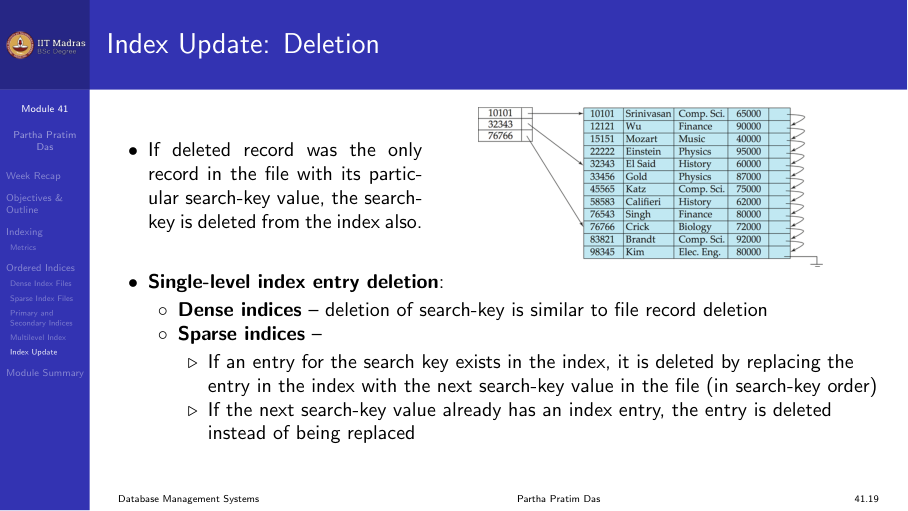
When a record is deleted, the index must be updated:
- Dense index. Locate the index entry for the deleted record’s search-key value and remove it. If multiple records share the same search-key value, remove only the specific pointer.
- Sparse index. If the deleted record was the only record with its search-key value in the block, the search-key is deleted from the index.
Index update: insertion
When a record is inserted, the index must be updated:
- Dense index. Perform a lookup using the search-key value. If the value does not already appear in the index, insert a new entry.
- Sparse index. If the index stores one entry per block, no change is needed unless a new block is created. When a new block is created, the first search-key value in the new block is inserted into the index.
Multilevel insertion and deletion are simple extensions of the single-level algorithms: changes at the leaf level may propagate upward.
Secondary indexes in practice
Secondary indexes are useful when we want to find records based on a field that is not the primary search key.
Example 1. Find all instructors in a particular department, where the instructor table is sorted by ID. A secondary index on dept_name provides fast access.
Example 2. Find all instructors with a salary in a specified range. A secondary index on salary supports this.
A secondary index has one index record for each search-key value.
Summary
- Indexes speed up data retrieval at the cost of storage and update overhead.
- Dense indexes have one entry per search-key value; sparse indexes have one entry per block.
- Primary indexes are on the physical sort order; secondary indexes are on other attributes.
- Multilevel indexes reduce the number of block accesses for searching.
- Indexes must be updated on insert and delete operations.