This article gives an intro to Physical Servers, Virtualization and Containers and how they work.
What is a Server?
Physical Server:
A physical server is a hardware device that serves as a dedicated computer for running applications, Operating systems and other dependencies. (Think of it like a CPU.)
This is how a server looks like:
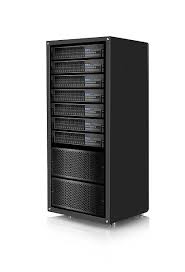
Credits: Physical Server
- The hardware of the physical server contains the motherboard, CPU, memory, storage and GPUs.
The main issue of the servers is sizing.
- The sizing issue is due to lack of usage of resources (CPU, memory and Storage) on the server hardware by the application (Email, Company’s website, etc) running on the server.
What runs on a physical server?
The main aim of the physical server is to run applications on the servers like Email, Websites, and Database with the computational resources present in the server.
The components of the Physical server are:
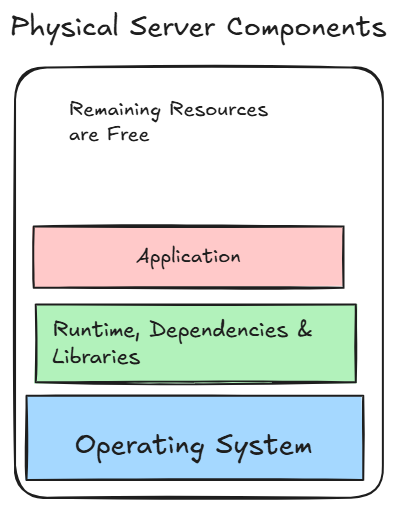
This is the general structure of the components running on the server.
Example: An Email application needs an Operating System like Windows or Linux and its relevant dependencies and libraries.
Traditionally, a server was used to run only one application. But a good resource efficient server can handle multiple applications on one server.
Downsides of Physical Servers
- The main downside of the servers were the sizing issue, i.e. not using the servers compute efficiently.
- If one application on the server fails, then all the applications are affected and stopped.
- Moreover, these were very costly and hard to run for small companies.
- Dependency Hell: The dependencies of different applications not being compatible with each other.
Historically this was the approach, you bought the servers, sized the hardware components, maintained a buffer and waited for everything to go well.
Virtual Servers / Virtual Machines
A Virtual Machine is a software-based computer that runs on top of the Physical Server. It simulates all the components of the server like its own OS, memory, storage, etc.
Virtual Machines have a new component called the Hypervisor.
- Hypervisor: The Hypervisor is the key component of the Virtual Machine, which is a software that makes virtualization possible.
- The main job of the Hypervisor is to manage the physical resources in a server. It manages the Operating System. It is used to create, manage and run the VMs.
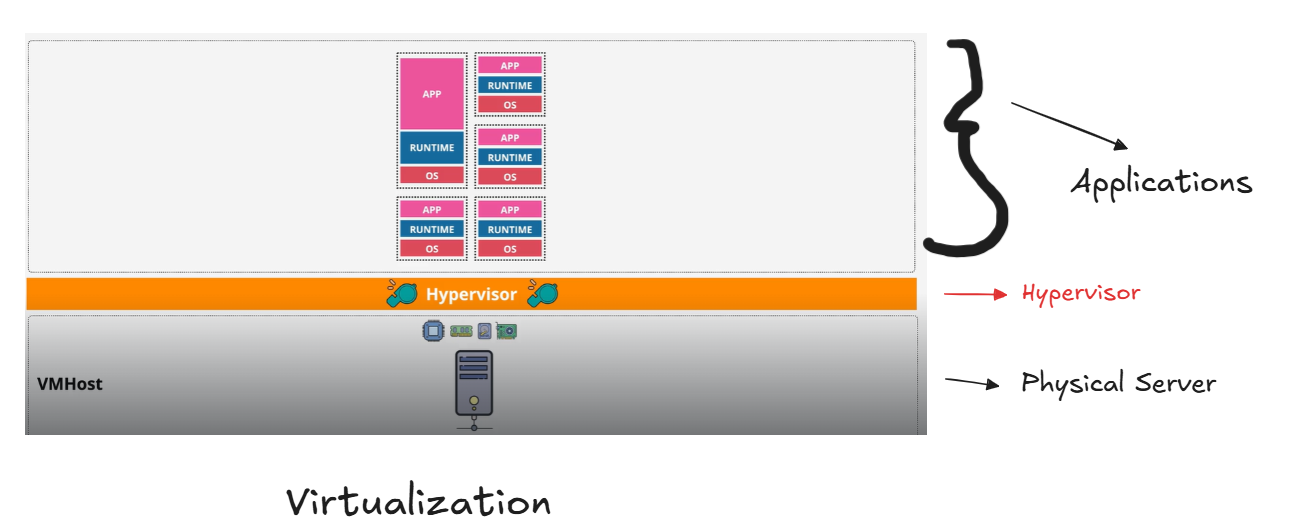
- The Virtual Machines are just like physical servers, they have their own OS, application, runtime but they are virtual and don’t have access to physical servers. Instead, they access the VM host hardware via the hypervisor.
- In most cases, there will be more than one VM Host to handle the applications and give resources.
Note: The concept of Hypervisor deserves a separate article.
Some of the most common Hypervisors are: Virtual Box, VM Ware and Hyper-V, etc.
Benefits of VMs
- We can change the size of the Virtual Machines. In most cases, we use more than one VM host, and we can migrate one VM from one host to another. It can be done explicitly or automatically to handle the resources.
- Virtual machines are much faster to setup than physical servers.
- VMs are entirely isolated, each running their own OS. Each of them are protected from other VMs. VMs can be transferred to a new physical server.
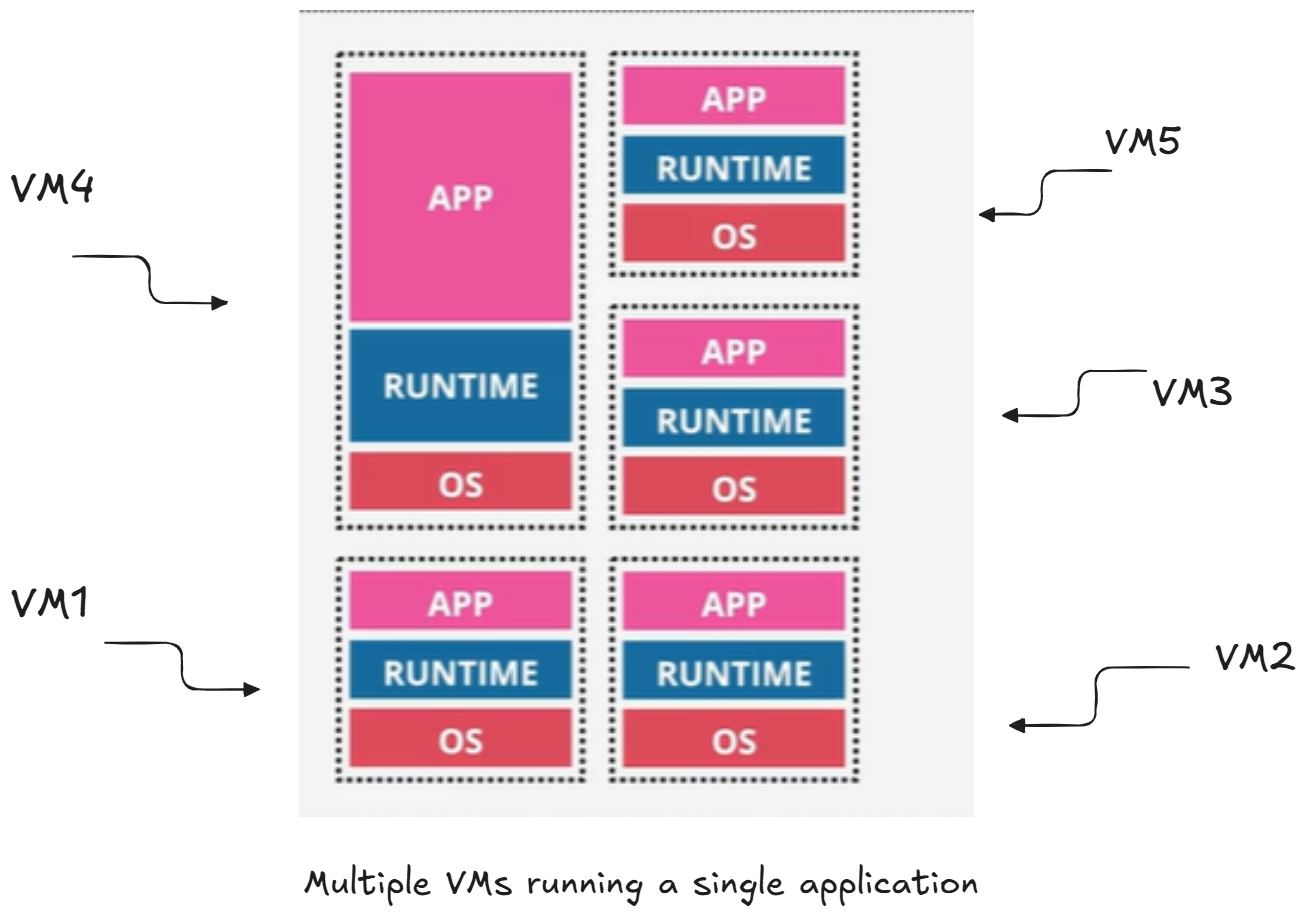
- Instead of running multiple applications on a single OS, we can have multiple VMs running a single application with one OS on their VM.
Liabilities of VMs
- VMs waste resources, because each copy of the OS needs its own resources to run.
Ex: If you’re running 40 copies of Debian, then you are wasting resources due to this duplication.
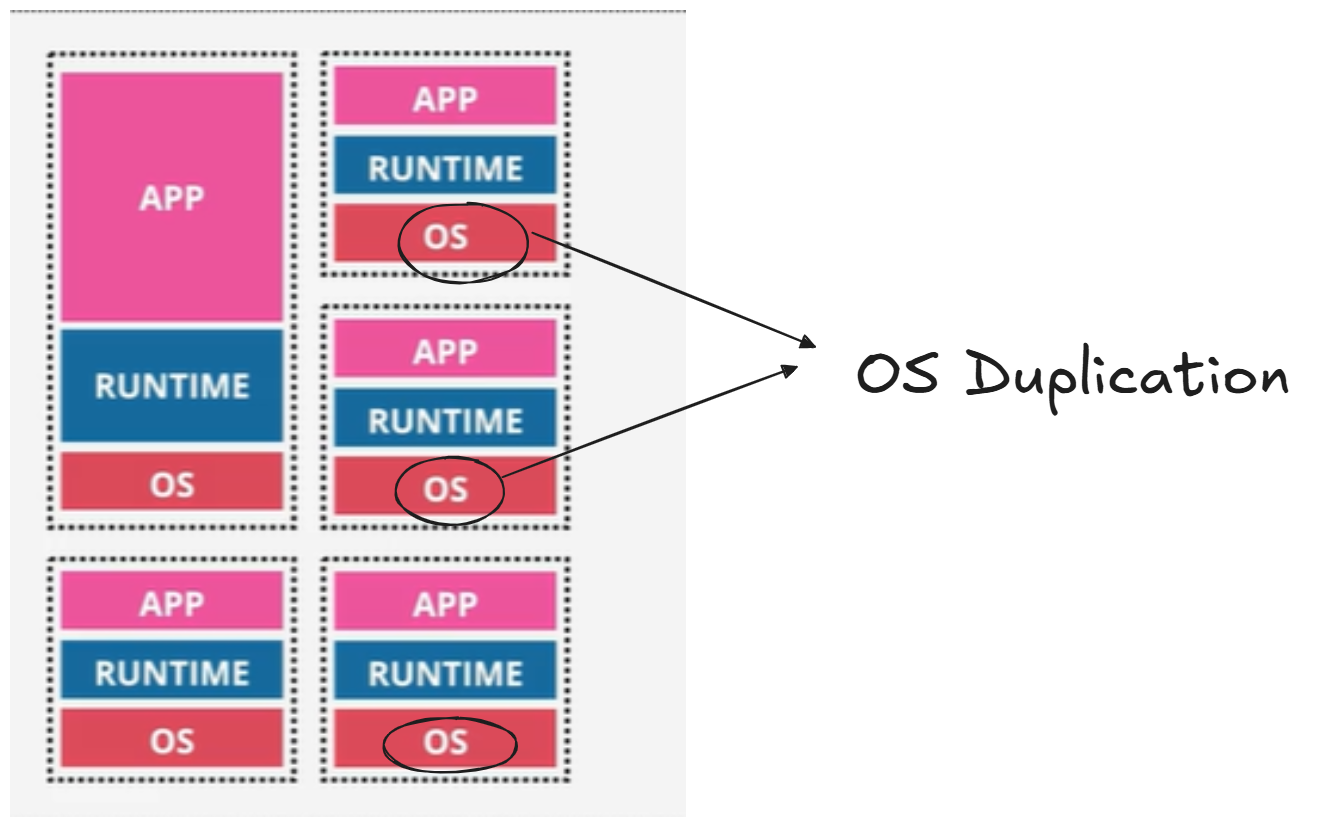
Containerization effectively resolves this liability.
Containers
Containers are standardized, light-weight software that includes everything required to run an application.
Components of a Container Host:
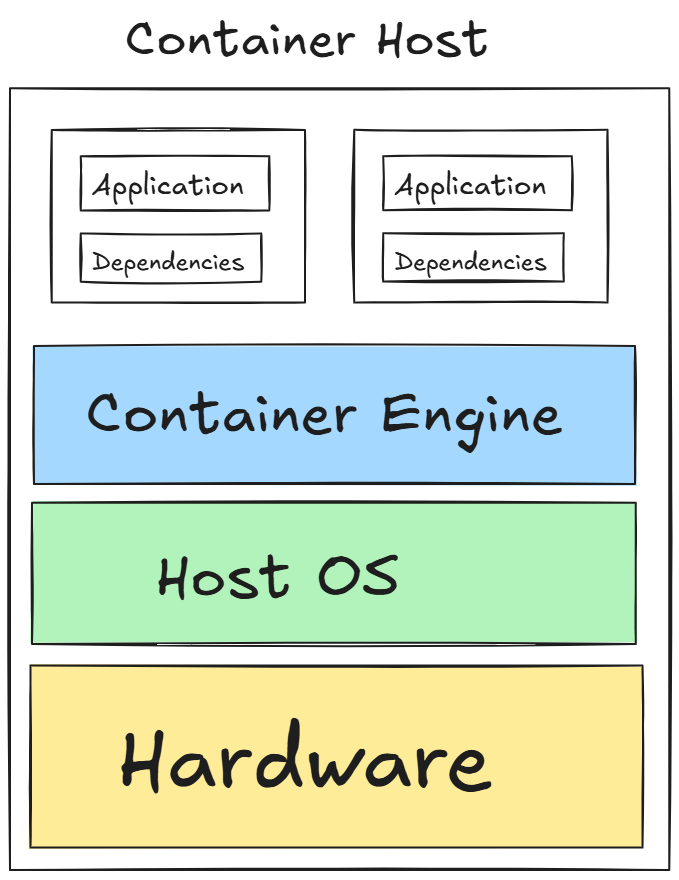
- Hardware: Server containing resources with CPU, memory and storage.
- Host OS: Host Operating System like Ubuntu, Debian and Windows, etc.
- Container Engine: Container Engine is like a Hypervisor in VM, but way lighter than Hypervisor. Ex: Docker Engine (most common one).
Containers are lighter because they share the same host OS and run as a process within the host OS.
Benefits of Containers
- Containers need to just run the application and the libraries/dependencies.
- Containers run on the container host via the container engine.
- Containers are used to share everything in the computer. Container works in a place, it works wherever it runs.
Containers were created to ship applications with all its dependencies and ensure they working the same everywhere.
“If it works on my computer, it should work everywhere else.”